Access
API keys, AWS keys, GitHub tokens, JWTs, private keys. Whoever holds them signs in as you.
For developers using AI coding agents
LocalGuard replaces API keys, passwords and personal data with placeholders before an AI request leaves your computer, and restores them in the reply.
Runs on macOS, Linux and Windows. Works with Claude Code, Codex, OpenCode and 21 other tools. No licence needed to download.
Authorization: Bearer sk-live-4f8a2c91e0b7Leaves your computer as written.
Authorization: Bearer <REDACTED:api_key:9d41c0e7a3b25f18c4e60d927b1a8e53>The provider sees the placeholder. The reply comes back with the real value restored.
1,000 or more detections in one real LocalGuard run. The app's event log holds only the last 1,000, so this is a floor, not a total. The same key resent in a later turn counts again, so it counts events, not distinct secrets.
One run on one machine. Your numbers will differ.
API keys, AWS keys, GitHub tokens, JWTs, private keys. Whoever holds them signs in as you.
Card numbers, IBANs, crypto wallet addresses, payment tokens.
Emails, phone numbers, names and places that were never yours to share.
The prompt that explains how you work. Competitors and attackers can read the same text.
A key pasted once keeps travelling: the agent resends the conversation with every later request.
sk-live-4f8a2c91e0b7
<REDACTED:api_key:9d41c0e7a3b25f18c4e60d927b1a8e53>LocalGuard runs in your menu bar. AI tools talk to model providers through it.
Secrets become placeholders before the request leaves. It all happens on your device, in under 50 ms.
Responses come back with the real values in place, so your workflow does not change.
No detector catches everything. Patterns match known formats, an on-device model finds names and places, and the app logs every redaction so you can check what it did.
Written in Rust. Zero telemetry. No cloud scanning.
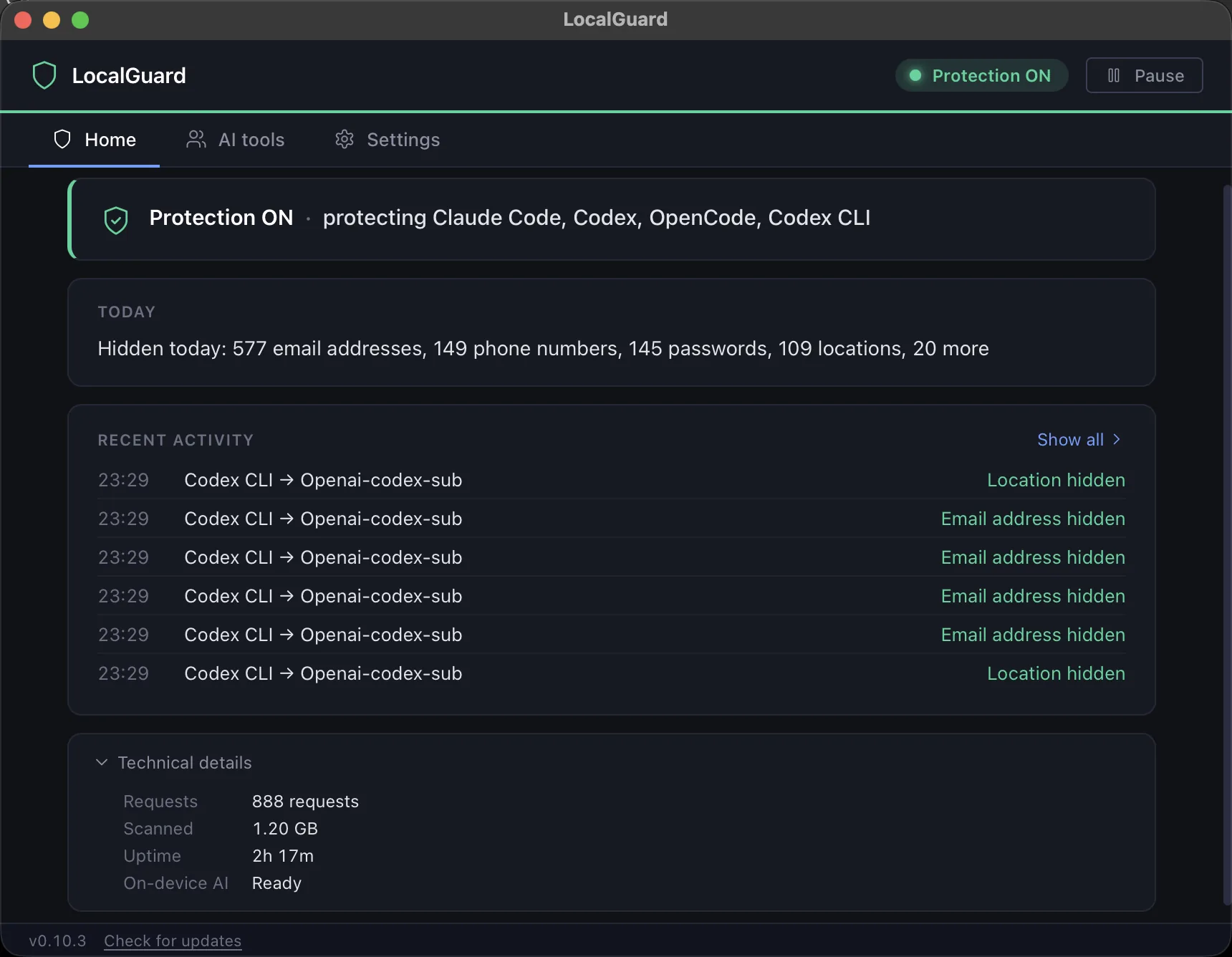
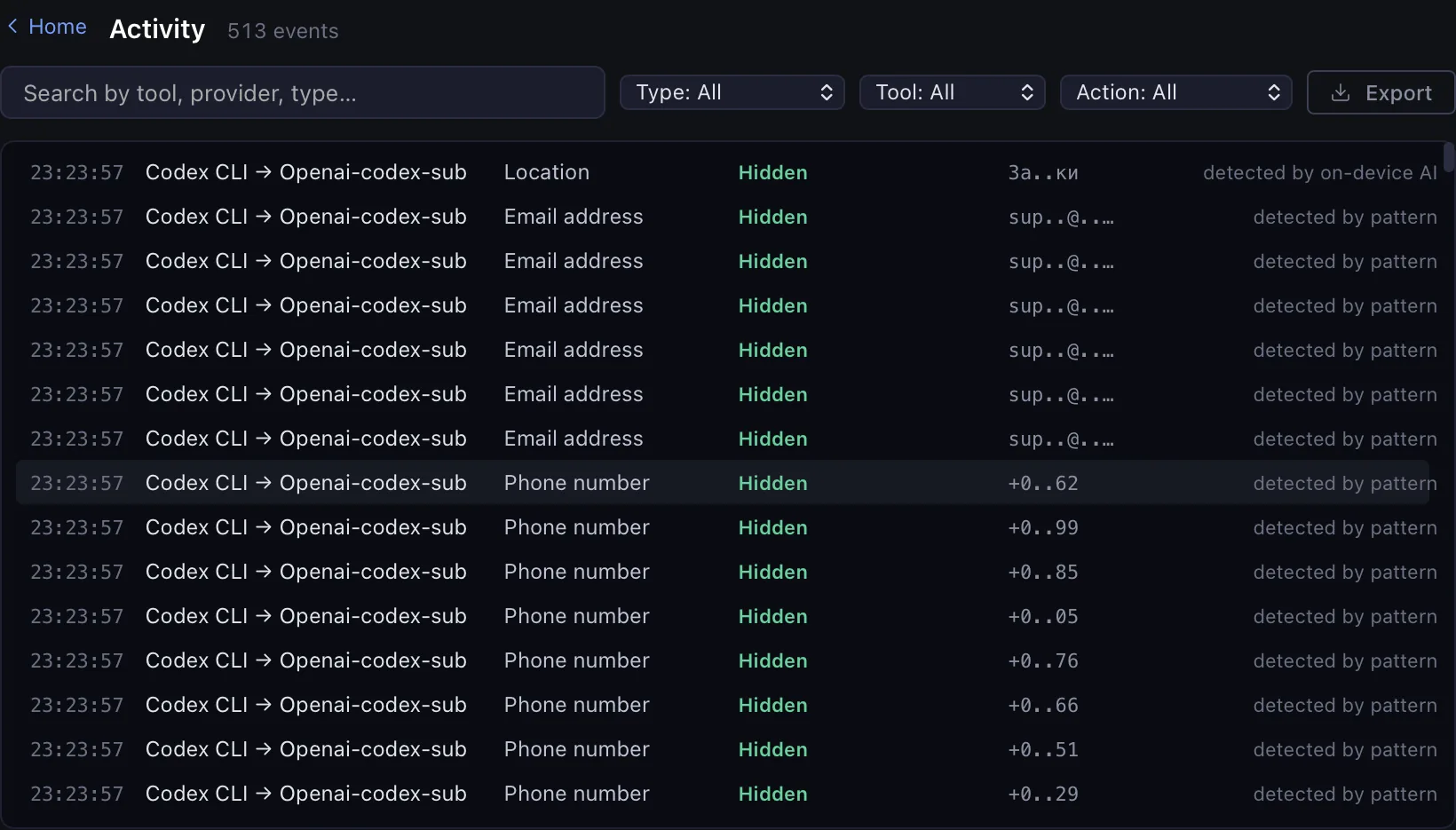
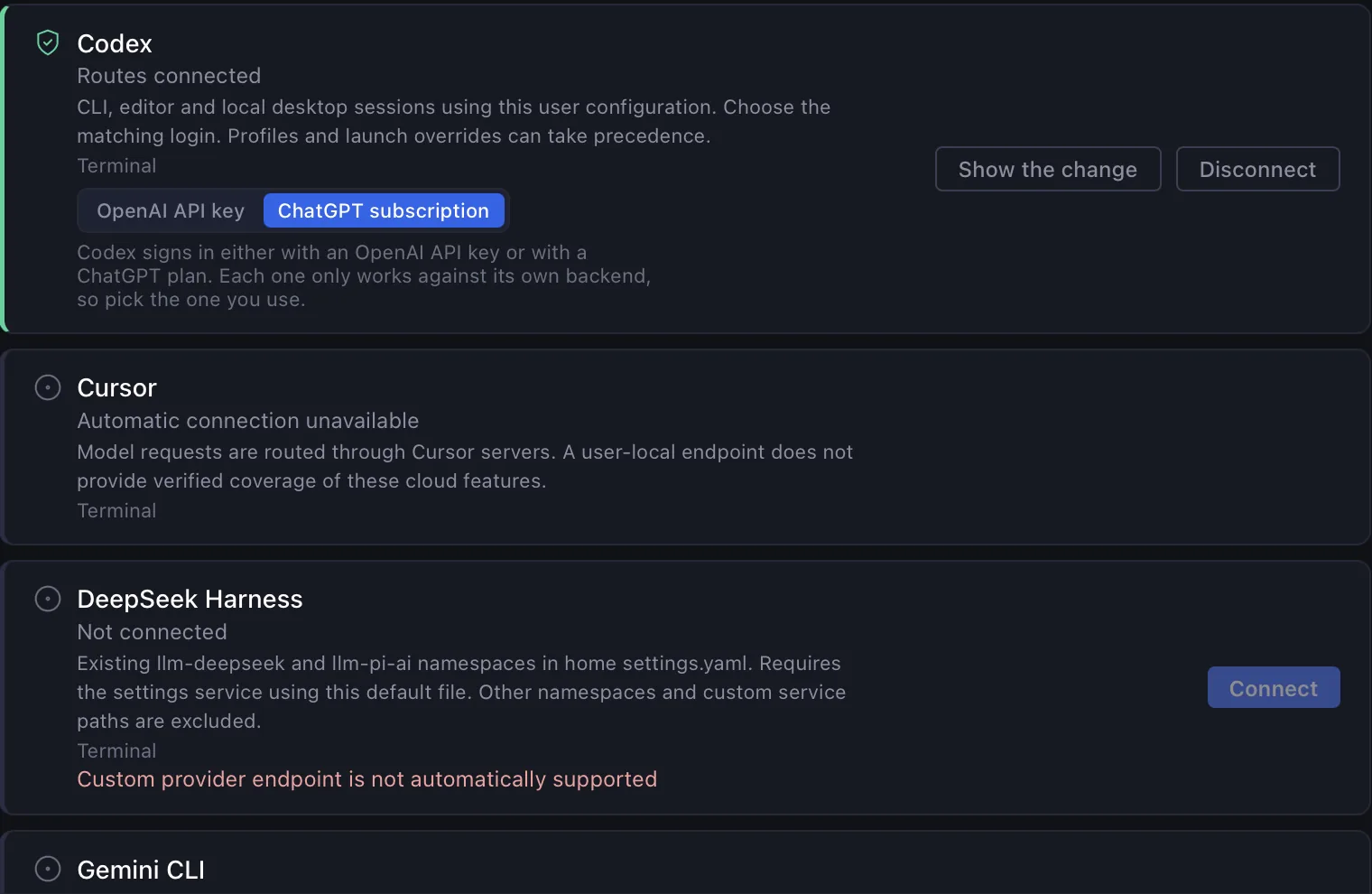
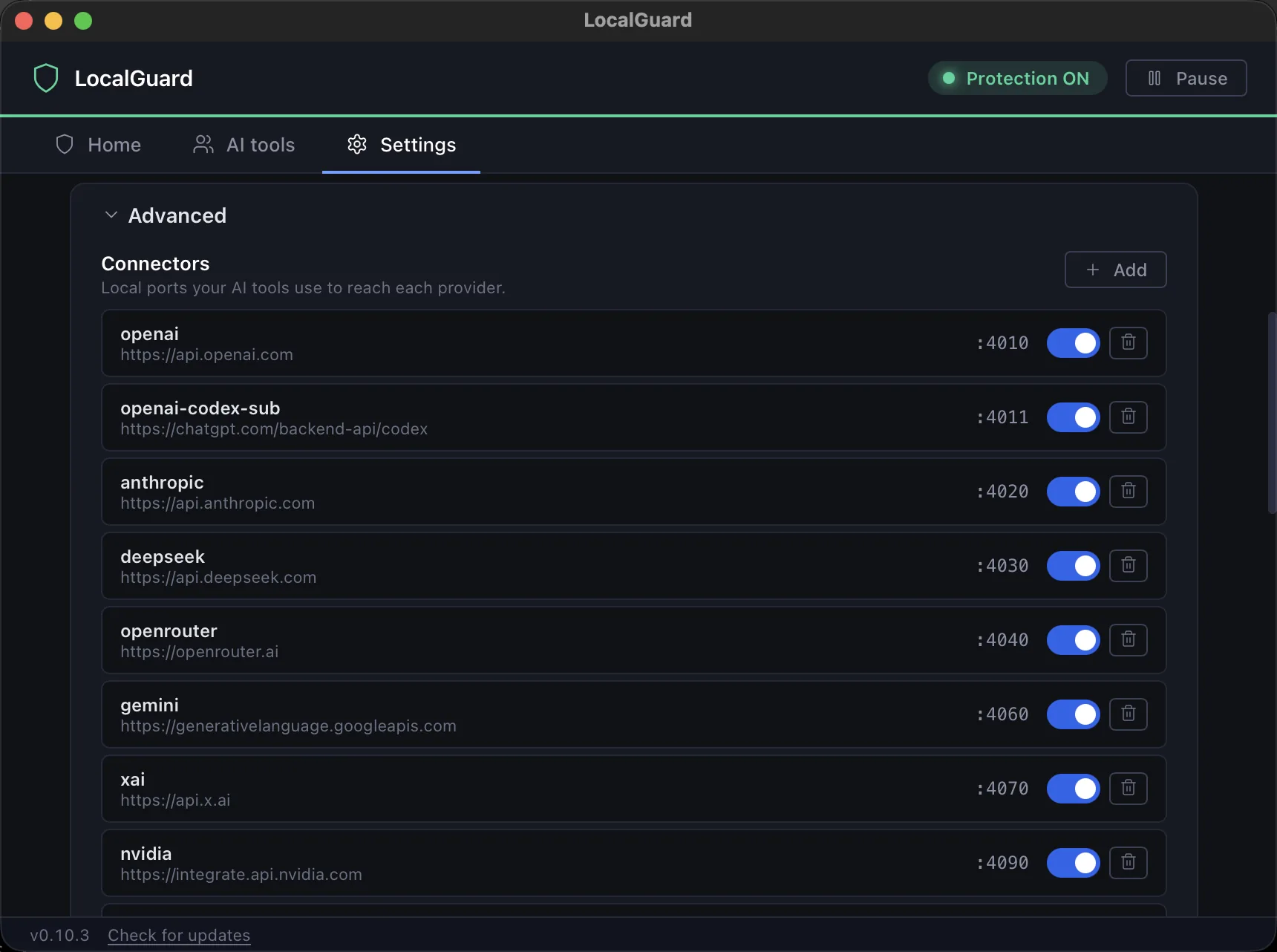
Real screenshots from version 0.10.3. Nothing here is a mock-up.
Edit the text. It all runs in your browser, and nothing you type is sent anywhere.
Then $49 a year plus tax, about 94 cents a week. Cancel any time.Or pay $49 for the year at once and skip the first month. No refunds: the first month is your trial. Terms
Stripe. Tax calculated at checkout. $5 today, $49 after 30 days, then yearly.
The app shows which secrets your AI tools send, which tool sent them, to which provider and when. It does not block or replace anything until you subscribe.
DownloadTurn protection on from the app whenever you are ready.
Teams, self-hosted and CLI installs: support@localguard.me.
33 tool families audited, listed alphabetically below. Connect and Disconnect buttons mean no config files to edit by hand.
Coverage depends on the tool's local mode and provider. For example, Codex supports API-key and ChatGPT-plan login; Gemini CLI requires API-key login. The app explains the supported mode for every tool. Restart the tool after connecting.
Disconnect restores the original routing settings and preserves your credentials, models and later edits. Project settings, shell variables and cloud execution can use separate routes.
See connection modes and setup instructions →
Menu bar app for macOS, Linux, and Windows. Written in Rust. Scans stay on your machine.
The download is free: until you subscribe, LocalGuard shows what leaks and redacts nothing.