Download free

Local data-loss prevention for AI tools

You’ve already sent it.

In one ordinary development session, with full detection on, we logged 669 secrets heading out to an LLM — API keys, database passwords, client emails. Two out of three outbound requests carried something that should never have left the laptop. Nobody was careless. That’s just what happens when you paste a stack trace under pressure.

macOS · Linux · Windows — installs in 2 minutes, no licence needed

LOCALGUARD · SESSION LOG Recorded
    0 secrets stopped in one session with full detection on — 138 requests, 109 MB of traffic
    669secrets intercepted
    138requests scanned
    67%requests contained secrets
    109 MBtraffic analysed

    Measured in a single real local development session.

    Try it right here

    This is what leaves your machine. And what could leave instead.

    Edit the text below — it’s a real-looking prompt with real-looking secrets. Switch protection on and watch what gets stripped before it reaches the model.

    LOCALGUARD · LIVE PREVIEW
    Your prompt
    What the model receives
    Masked 0 Still leaking 0

    Simplified in-browser demonstration. Nothing you type here is sent anywhere — this page has no backend. The real proxy runs on your machine with 50+ patterns and an optional local AI model.

    What’s actually at stake

    One request. Four different kinds of damage.

    1. Access

      Access to your systems

      API keys, JWT and Bearer tokens, AWS credentials, SSH and PEM private keys. Pasted inside an error log or a config fragment, they leave in seconds and stay in someone else’s storage.

    2. Money

      Money

      Card numbers, IBANs, crypto wallet addresses, payment keys. They show up in test data and support tickets far more often than anyone expects.

    3. Clients

      Your clients’ data

      Names, emails, phone numbers, addresses. Under GDPR this isn’t a slip — it’s a reportable event, and the person who pasted it usually never realises it happened.

    4. Business

      Your business

      Contract text, internal notes, database passwords, infrastructure details. Shared AI chats have already turned up in search results. This isn’t hypothetical.

    How it works

    Install once. Every request after that is checked.

    LocalGuard is a proxy that runs on your own machine. Your tools talk to it instead of talking to the model directly. It scans, masks, forwards — then restores the real values in the answer that comes back.

    YOUR TOOL LOCALGUARD · LOCAL LLM PROVIDER masked request out answer restored on return password='Tr0ub4dor&3' scan · mask · forward <REDACTED:password:1> sees placeholders
    Swipe to see the whole path →
    1. 01

      Your tool sends a request

      Claude Code, Cursor, Copilot, a script, your own integration — anything that speaks HTTP to an LLM API.

    2. 02

      LocalGuard scans it locally

      Two stages: fast pattern matching, plus an optional local AI model for names, places and context. Under 50 ms.

    3. 03

      Secrets become placeholders

      A key becomes <REDACTED:api_key:1>. The structure survives, so the model still understands what it’s looking at.

    4. 04

      The answer comes back whole

      Real values are restored on the way back to you. Your workflow doesn’t change; the provider just never saw them.

    The app itself

    A menu-bar app, not a config file.

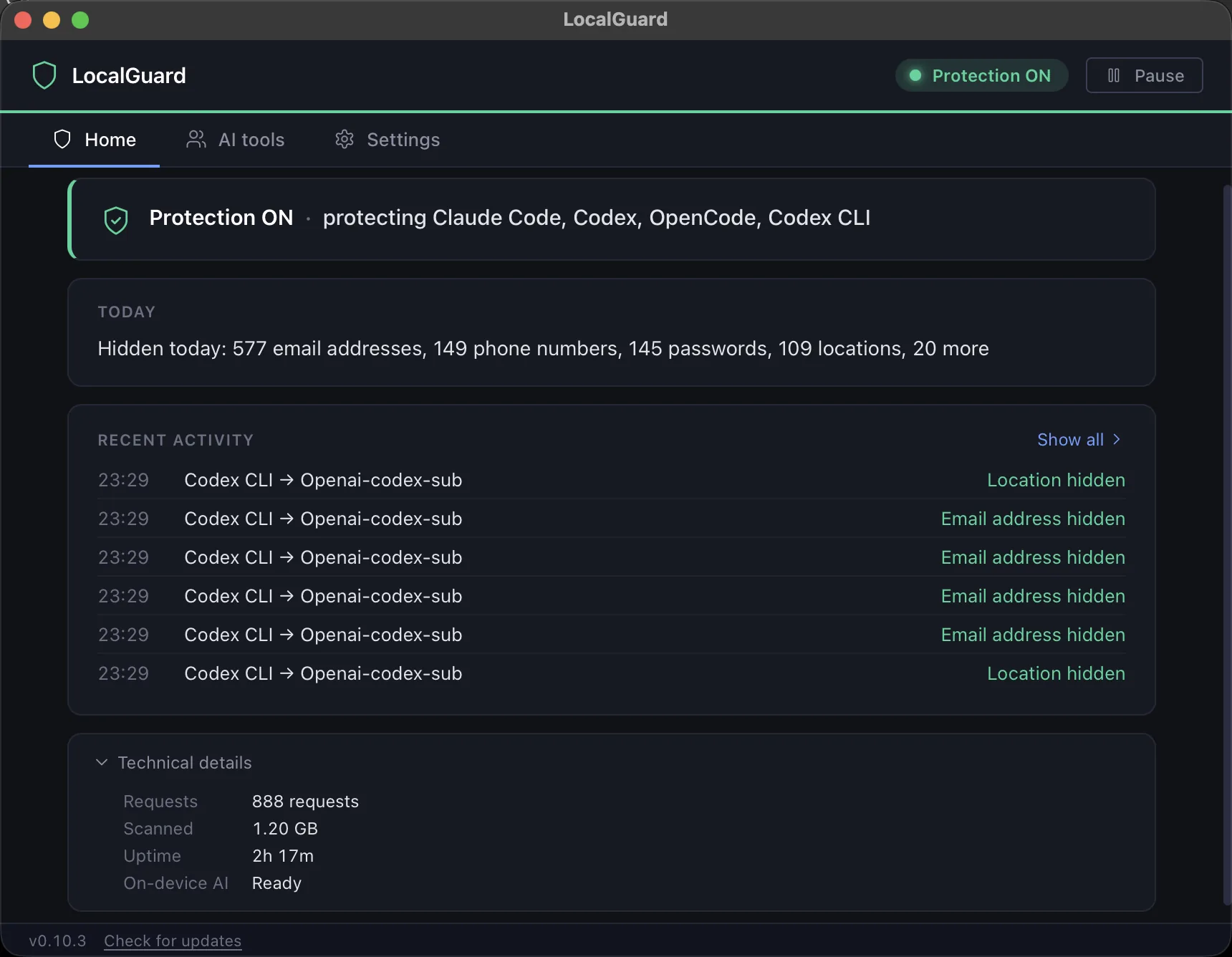
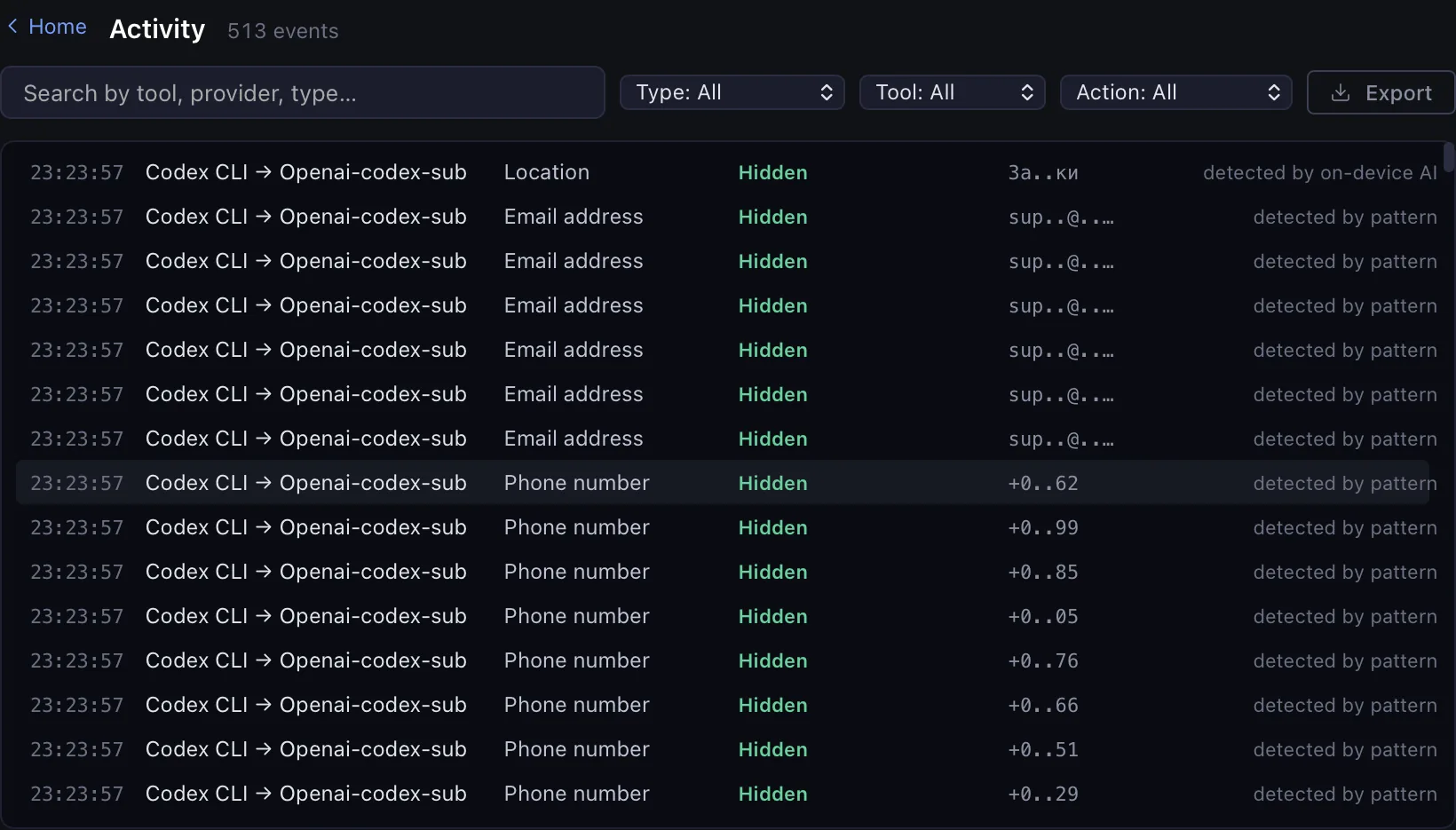
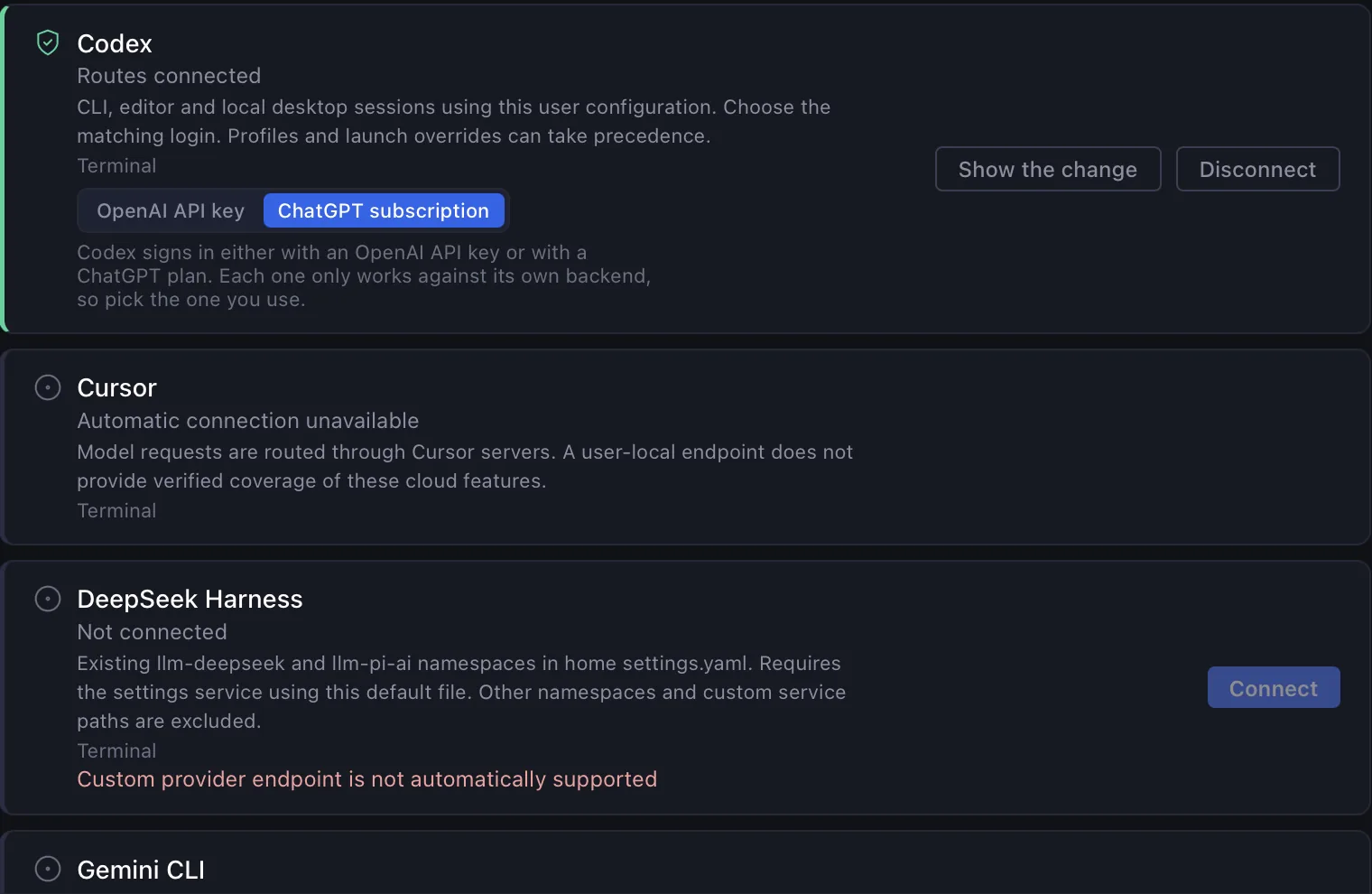
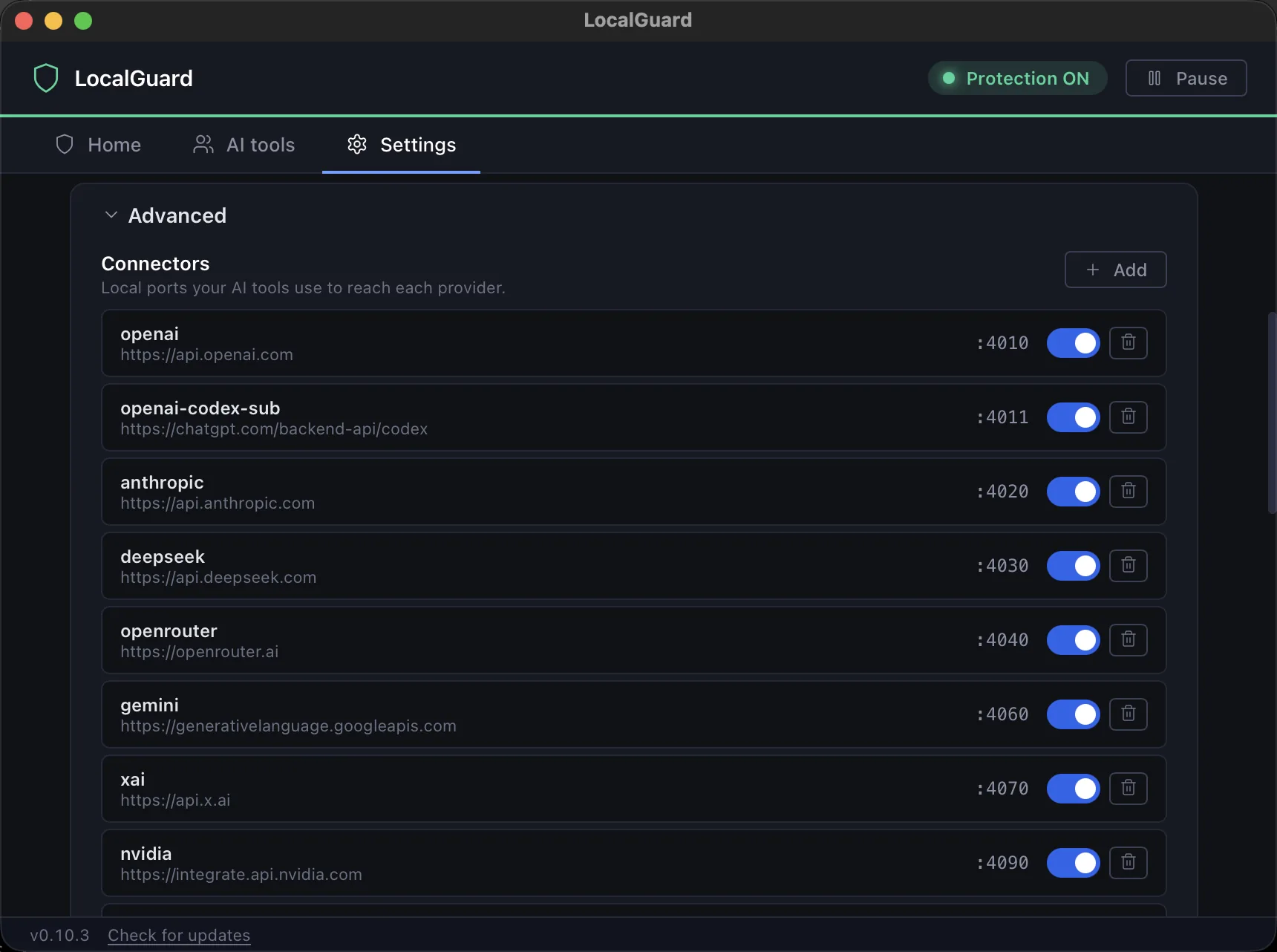
    Install it, click Configure next to your agent, and it is protecting. After that you open it when you want to know what was actually leaving — everything below is the shipping app, not a mock-up.

    Dashboard from a real run: 10 374 values replaced across 896 requests and 1.06 GB of traffic, broken down by secret type and by provider.
    01Agents — installed AI clients are detected; one click routes them through the proxy.
    02Config — Full, Regex-only or Off, launch at login, and one local port per connector.
    03Logs — every single replacement, with the original snippet, the placeholder and the provider it was headed for.
    These are cropped to stay readable — tap any of them for the whole window Full walkthrough in the setup guide →

    What it catches

    50+ patterns. Plus the tricks that fool plain regex.

    Detection is split into two levels. The first works from the moment you install. The second unlocks inside the app when you decide you need it.

    Working from the first run

    No licence, no account, no payment step

    Unlocks in the app

    Turn it on when you start handling client and financial data

    Evasion-resistant by design

    Secrets hidden with base64, zero-width characters or look-alike Unicode are decoded and normalised before scanning — so the tricks that slip past plain-regex DLP still get caught here.

    From the same session

    The dashboard those numbers came from.

    Screenshots of a real proxy run — not mock-ups. Click any of them to inspect the full-size image.

    Swipe the wide one sideways · tap any screenshot for the full window

    Why you can trust it

    The whole point is that nothing leaves.

    100% local, zero telemetry

    Scanning happens on your machine. No cloud service, no analytics endpoint, no copy of your traffic anywhere. A privacy tool that phones home is not a privacy tool.

    Written in Rust

    Chosen for speed and memory safety. Under 50 ms added per request, including the optional model — you won’t feel it in your editor.

    Built by security people

    Not a weekend wrapper around a regex list. The source is closed, but enterprise customers get everything an independent reviewer needs for their own audit.

    Works with

    If it speaks HTTP to a model, it can go through LocalGuard.

    Claude Code, Cursor, GitHub Copilot, ChatGPT, your own API integrations, internal scripts. Point the endpoint at the local proxy and you’re done — no plugin, no extension, no changes to how you work.

    Claude Code Cursor GitHub Copilot ChatGPT Codex Your own API calls

    What it costs

    Free covers your own secrets. Paid is for when the data isn’t yours.

    There’s one price and it’s on this page, so you never have to call anyone to hear it. You can ignore the paid tier until you decide you need it.

    Against what

    $39 a year is $3.25 a month. This is what the same job is billed at elsewhere.

    Wald
    $19.99 / user / month
    $240 a year, published on their own pricing page
    Nightfall · Microsoft Purview
    No public price
    Quoted per organisation, after a call
    LocalGuard Pro
    $39 / year
    One machine, no seat minimum, no sales call

    Competitor prices as published on their own pricing pages, checked 5 August 2026. Those are team platforms with admin policy and audit trails; LocalGuard Pro protects one machine. If you only ever paste your own keys and tokens, the free level is the honest answer — and it stays free.

    Free

    $0 forever

    For one developer protecting their own credentials

    • API keys, AWS keys, JWT and Bearer tokens
    • Private keys (PEM), GitHub tokens
    • Crypto wallets, IBAN
    • macOS, Linux and Windows builds
    • No account, no card, no payment step
    Download free

    Pro

    $39 per year

    For anyone whose prompts touch client or financial data

    Everything in Free, plus

    • Passwords, and passwords inside URLs
    • Credit cards, emails, phone numbers
    • On-device AI model for names and locations
    • Live dashboard and per-event logs
    • Priority support by email
    Get a licence

    Renews annually, cancel any time. Bound to one machine — install the app first and copy the fingerprint from the License panel.

    Server

    Talk to us per organisation

    For a team that cannot install software on every laptop

    • One proxy on your own infrastructure
    • Covers many employees at once
    • Nothing to deploy per workstation
    • Material for your own independent security review
    • Written answers, not a demo call
    Ask about server deployment

    Prices in US dollars, charged by Stripe. We make no claim about how much any particular installation will detect — the figures on this page are measurements, not promises.

    Questions

    Straight answers.

    01Does it really mask data before it leaves my computer?

    Yes. The proxy runs locally, intercepts the HTTP request and strips sensitive values before anything is sent to the provider. There’s no moment where the raw text sits on someone else’s server.

    02Will it slow me down?

    No. Scanning takes under 50 ms per request, including the optional local AI model. In an editor that’s invisible.

    03Does it work with Claude Code, Cursor, Copilot?

    Yes — any tool that sends HTTP requests to an LLM API. You point the API endpoint through the local proxy and everything else stays as it was.

    04Can the model still understand a redacted request?

    Yes, and this is the part people worry about most. Placeholders like <REDACTED:email:1> preserve the semantic structure — the model knows an email was there, it just doesn’t get the address.

    05Is anything sent away for scanning?

    No. Everything runs on your machine. No cloud, no telemetry, nothing leaves for analysis. That’s the entire design constraint.

    06Can I audit the source?

    The source is closed. For enterprise customers we work with security experts and provide what’s needed for an independent review.

    07I’m careful with AI. Why would I need this?

    The numbers on this page come from a session where the person was also careful. Secrets showed up in two out of three requests anyway — because everyone pastes error logs, stack traces and config fragments when they’re in a hurry. Automation catches what attention misses.

    08Is the free level enough?

    For most individual developers, yes — keys, tokens, private keys, wallets and IBANs are covered from the first run. If you also handle passwords, cards, emails, phone numbers or need AI-based name and location detection, you’ll want the extended level, which you can switch on inside the app.

    09I lost my licence file. How do I get it back?

    If the machine fingerprint hasn’t changed, open LocalGuard, copy the fingerprint from the License panel and paste it on the recovery page. You get a freshly signed key for that machine, with the original expiry date. If the fingerprint did change — new hardware, major OS update — you need a new licence.

    10What about a team or a whole company?

    The free and extended levels are built for one person on one machine. For organisations there’s a server deployment: the proxy runs on your infrastructure and covers many employees at once, without installing anything on every workstation. Write to support@localguard.me.

    Last thing

    Is your next AI request safe?

    Download it, route one endpoint through it, then open the dashboard at the end of an ordinary working day. If the dashboard is empty, you’ve lost two minutes. In every session we’ve measured, it wasn’t empty.

    Free stays free. Pro costs $39 a year, against $240 for the nearest tool that publishes a price at all. And Pro only starts to matter once your prompts carry data that isn’t yours.

    Running a team? Ask about server deployment